



SERIES
PALM

The wall turns into an interactive multitouch surface
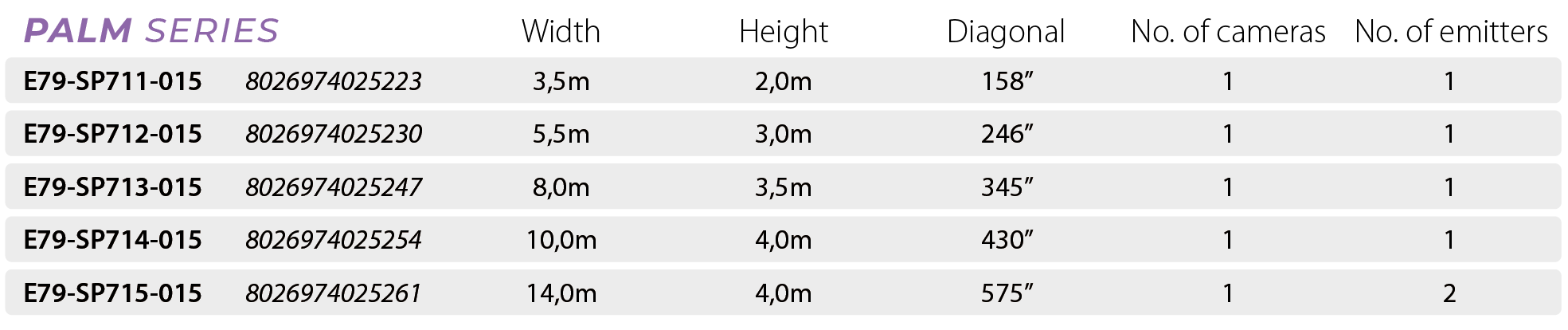
The Palm Series makes it possible to transform a normal smooth wall into a wall interactive, detecting touch with accuracy up to to 2×2 cm.
Thanks to its technology consisting of a camera, a laser emitter and dedicated software, the wall (up to 14.0 m wide for 4 m high) becomes an immersive and interactive environment suitable for the use of applications such as games, immersive portals, educational and rehabilitation software. Thanks to the Blending software, it is possible to combine up to 6 walls with each other, offering very large multiscreen solutions, both linear and angular.
The whole Multi Touch experience on a large scale
The user may:

- Interacting with a large “screen

- Use gestures and multitouch with up to 10 touches


- Using immersive, interactive software in simple mode
The system offers an intuitive and fluid user experience, familiarity and simplicity for teachers and students, with the advantage of being able to operate over very large areas.
An immersive digital portal
Unlike traditional interactive whiteboards or monitors, the Palm Series allows:
- Expanding the workspace until 84 metres in length

- Simulating a portal innovative, inclusive and versatile
Total compatibility with the educational world
The interactive wall supports the entire software ecosystem available in schools:

- Immersive portals

- Games and educational software for pre-school and primary
Linear and Non-Modular
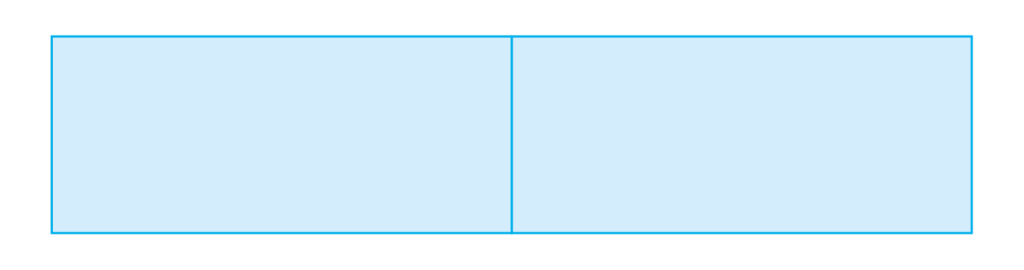
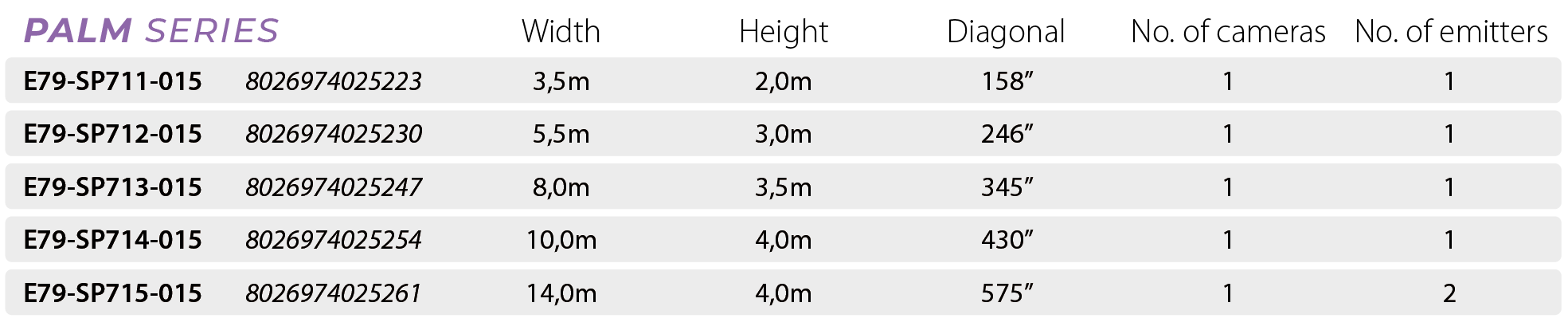
The use of the codes shown is limited to the coverage of flat surfaces, contiguous and linear, within the maximum dimensions specified in the table. For larger linear dimensions, for corner walls and for immersive configurations, please refer to the identification of codes and operating modes in the following section.
Linear or Angular Modular
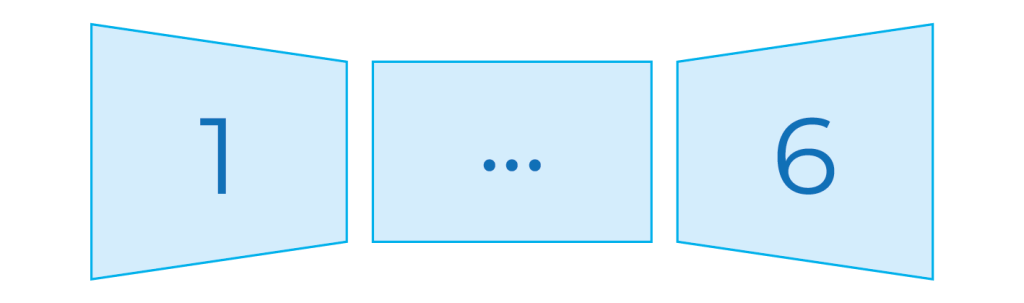
In the solutions angles the total area should not be considered as one continuous area.
Each individual surface must be evaluated as separate and independent area, for which it is necessary to identify the most appropriate code according to its linear width. If a single area exceeds the maximum size covered by a single code, the use of more codes.
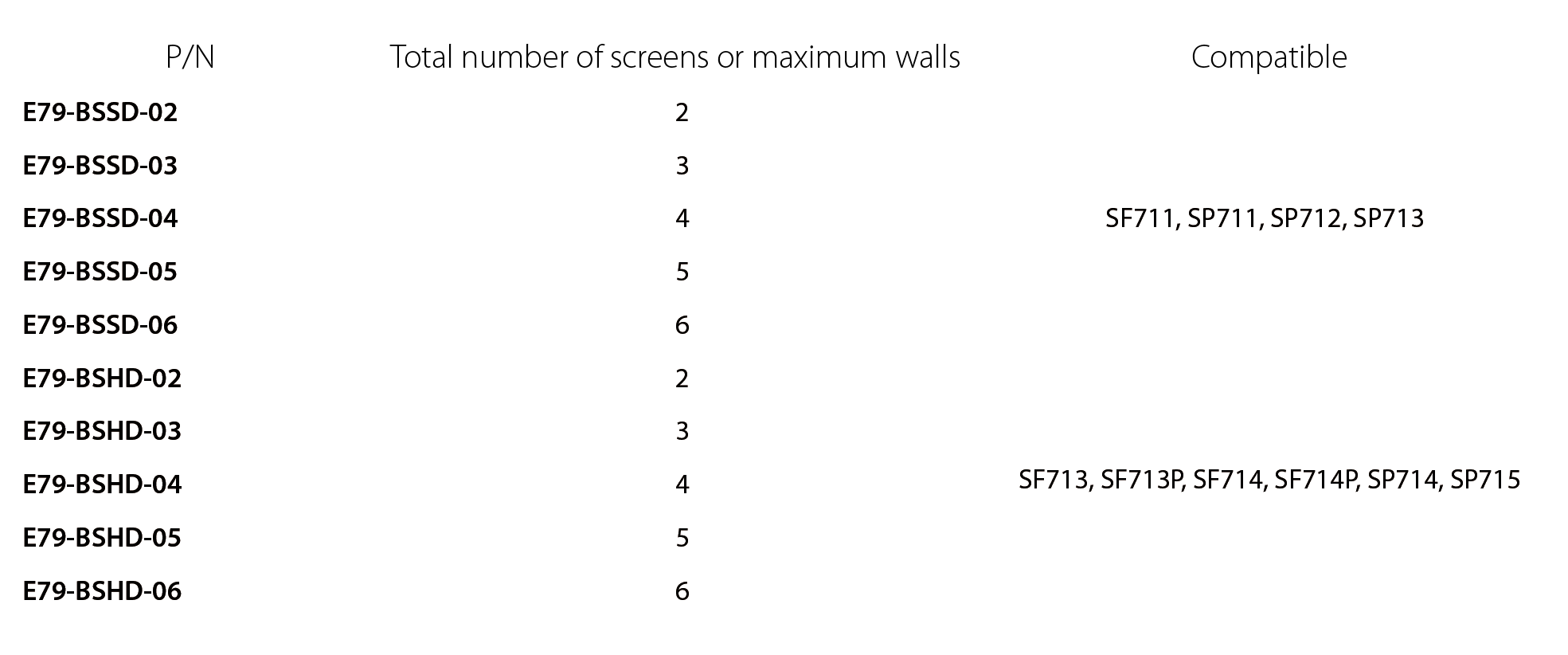
For solutions linear large, the most suitable code must be purchased in sufficient quantity to cover the entire length required. After which it must also be purchased the blending software suitable to handle the total number of codes used.
Blending software and hardware key to combine multiple screens or walls

Magic Touch Wall solutions require a projector or large display, a Personal Computer (CPU: Intel Core 11th Gen or higher/AMD Ryzen 5000 or higher, at least 16GB RAM and 256GB Hard Drive with at least 2GB free, USB 3.0 Port, Graphics Card: Integrated or Discrete) and Windows 10 and 11 operating system.
 English
  Italian
  Spanish
  French
  German
  Ukrainian
  Russian